
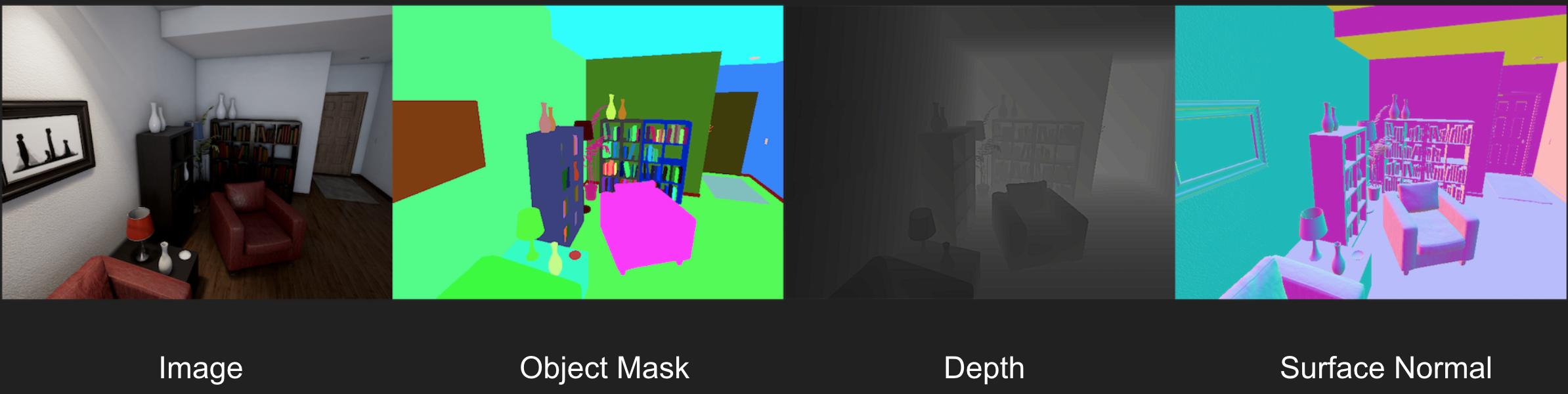
UnrealCV is a project to help computer vision researchers build virtual worlds using Unreal Engine (UE). It extends UE with a plugin by providing:
- A set of UnrealCV commands to interact with the virtual world.
- Communication between UE and an external program, such as Pytorch/Tensorflow.
UnrealCV can be used in two ways.
- The first one is using a compiled game binary with UnrealCV embedded. This is as simple as running a game, no knowledge of Unreal Engine is required.
- The second is installing the UnrealCV plugin into Unreal Engine and using the editor to build a new virtual world.
Please read Tutorial: Getting Started to learn using UnrealCV.
- Support Unreal Engine 5.6 (recommended).
- Optical flow image capture:
vget /camera/[id]/optical_flow [format]. - Call any Blueprint function from Python by
vbp [obj_name] [func_name] [arg1] [arg2] ...command. - Support RPC communication between Server and Client in Linux, higher FPS and more reliable.
- A set of new commands for camera control and object manipulation, please refer to command system for more details.
UnrealCV Dev For UnrealZoo is the continuously developed feature surface tested in UnrealZoo before general-purpose capabilities are promoted into the open-source plugin. These features are currently available in supported UnrealZoo environments and are not part of the open-source command contract unless they appear in the main Command System.
Runtime MCP public clients, examples, and an agent skill are available at unrealcv-runtime-mcp. The Unreal Engine C++ Runtime MCP server is not currently open source.
To install the UnrealCV Server, you need:
- Download the source code and place it on the
Pluginfolder of a C++ UE project. - Launch the C++ project with Visual Studio, UnrealCV will be compiled at the same time. Note that visual studio version should be compatible with your UE version.
- To check the success installation of UnrealCV, you can run
vget /unrealcv/statusin the console (Press ` to display the console).
To install the UnrealCV Client, just run:
pip install unrealcv
🚩 Note: More pre-built UE binaries with UnrealCV can be found in the UnrealZoo.
If you found this project useful, please consider citing our paper
@article{qiu2017unrealcv,
  Author = {Weichao Qiu, Fangwei Zhong, Yi Zhang, Siyuan Qiao,Zihao Xiao, Tae Soo Kim, Yizhou Wang, Alan Yuille},
  Journal = {ACM Multimedia Open Source Software Competition},
  Title = {UnrealCV: Virtual Worlds for Computer Vision},
  Year = {2017}
}If you have any suggestion or interested in using UnrealCV, please contact us.