
Local LLM assistance for Qt Creator: FIM text completion in the editor and an agentic chat, both powered by a llama.cpp server.
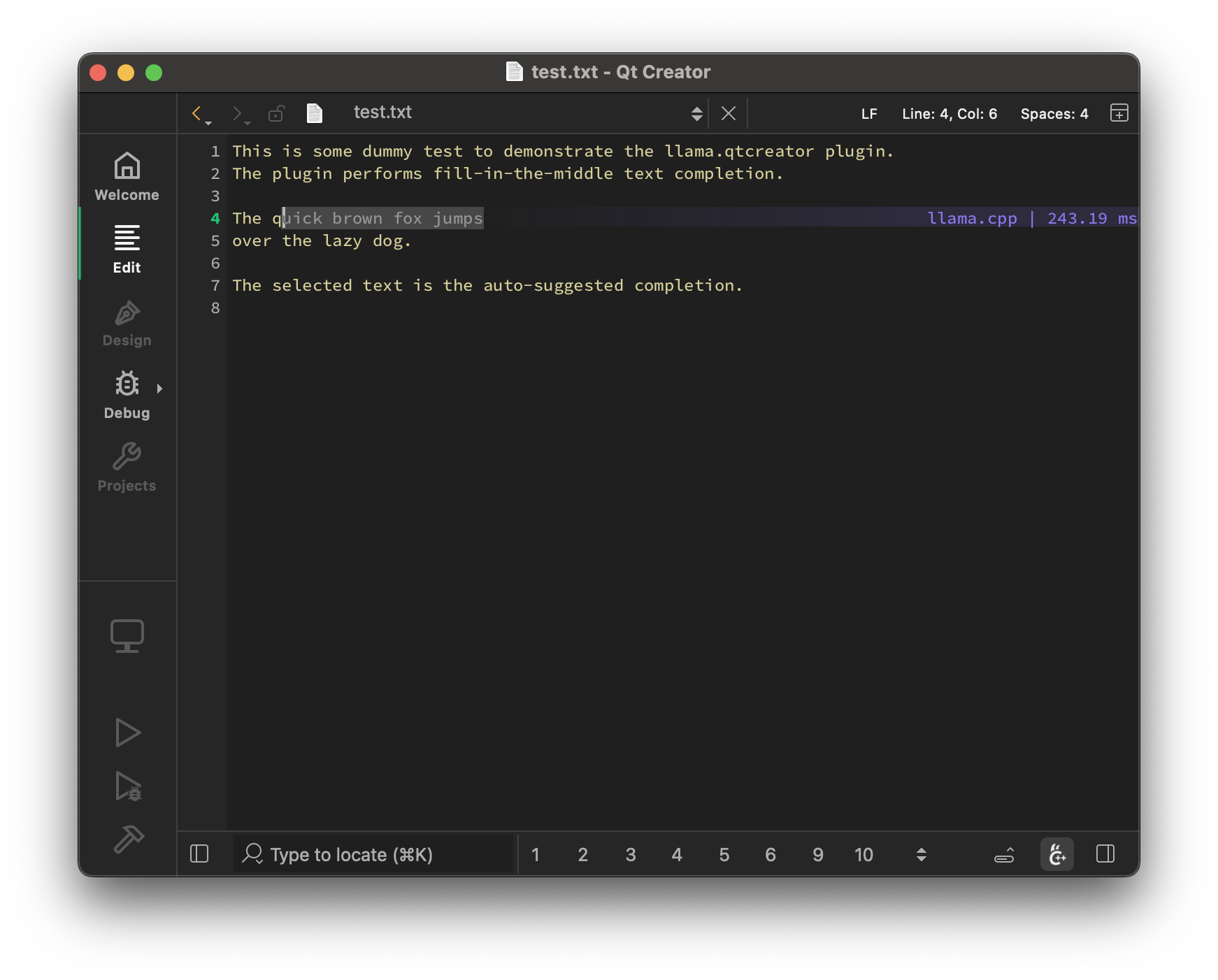
- Auto-suggest on cursor movement. Toggle enable / disable with
Ctrl+Shift+G - Trigger the suggestion manually by pressing
Ctrl+G - Accept a suggestion with
Tab - Accept the first line of a suggestion with
Shift+Tab - Cycle through alternative completions with
Ctrl+G Down/Ctrl+G Up - Control max text generation time
- Configure scope of context around the cursor
- Ring context with chunks from open and edited files and yanked text
- Supports very large contexts even on low-end hardware via smart context reuse
- Speculative FIM support
- Speculative Decoding support
- Display performance stats
- Chat support (including Mermaid diagrams and KaTeX math, rendered to SVG with a bundled QuickJS runtime - no browser required)
- "Human Editor" endpoint: select it in the chat's model dropdown to use the chat as a Markdown editor - replies are written by you in a regular text editor opened in a split next to the chat (save to send), and assistant messages can be edited in place the same way
- Source and Image drag & drop support
- "ll" locator (type
llin the locator, or use the selection prompt button in the editor): send the current editor selection to the model with a built-in or custom prompt - prompts support{selection},{file},{line},{diagnostics}and{git_diff}placeholders, and are editable on the "Prompts" settings page - Project instructions: the project's
AGENTS.md/CLAUDE.md(searched up to the git repository root) is loaded and appended to the chat system message; can be disabled globally or per project - Skills: configure skill directories on the "Skills" settings page; skills (
SKILL.mdfiles) are advertised to the model and loaded on demand via theskilltool - Conversations get automatic titles, long conversations are automatically continued in a new conversation seeded with a handoff summary of the task, current state and next steps when they approach the model's context window, and messages sent while a reply is in progress are queued
- Export a conversation as Markdown or HTML
- Tools usage
- File tools (
read_file,write,edit_file,apply_patch), code navigation (search,find,ls),bash,todo_write, andtask(delegates a self-contained subtask to a subagent that works in a separate conversation, shown nested under its parent in the conversation list) - Web access:
webfetchretrieves and reads pages,websearchqueries Exa, Google, Brave or Tavily (API keys configured on the "Tools" settings page) - MCP support: configure multiple MCP servers on the "Tools" settings page and enable their tools individually
- Sandboxing: optionally run the chat tools in a sandbox (per-project
setting) -
bwrapon Linux,sandbox-execon macOS and Microsoft MXC on Windows. Writes are restricted to the project directory and temp locations, credential locations (e.g.~/.ssh,~/.aws) are denied, and network access is blocked by default; extra writable/readable/deny-read directories and the network policy are configured on the "Sandbox" settings page
The plugin requires a llama.cpp server instance to be running at:
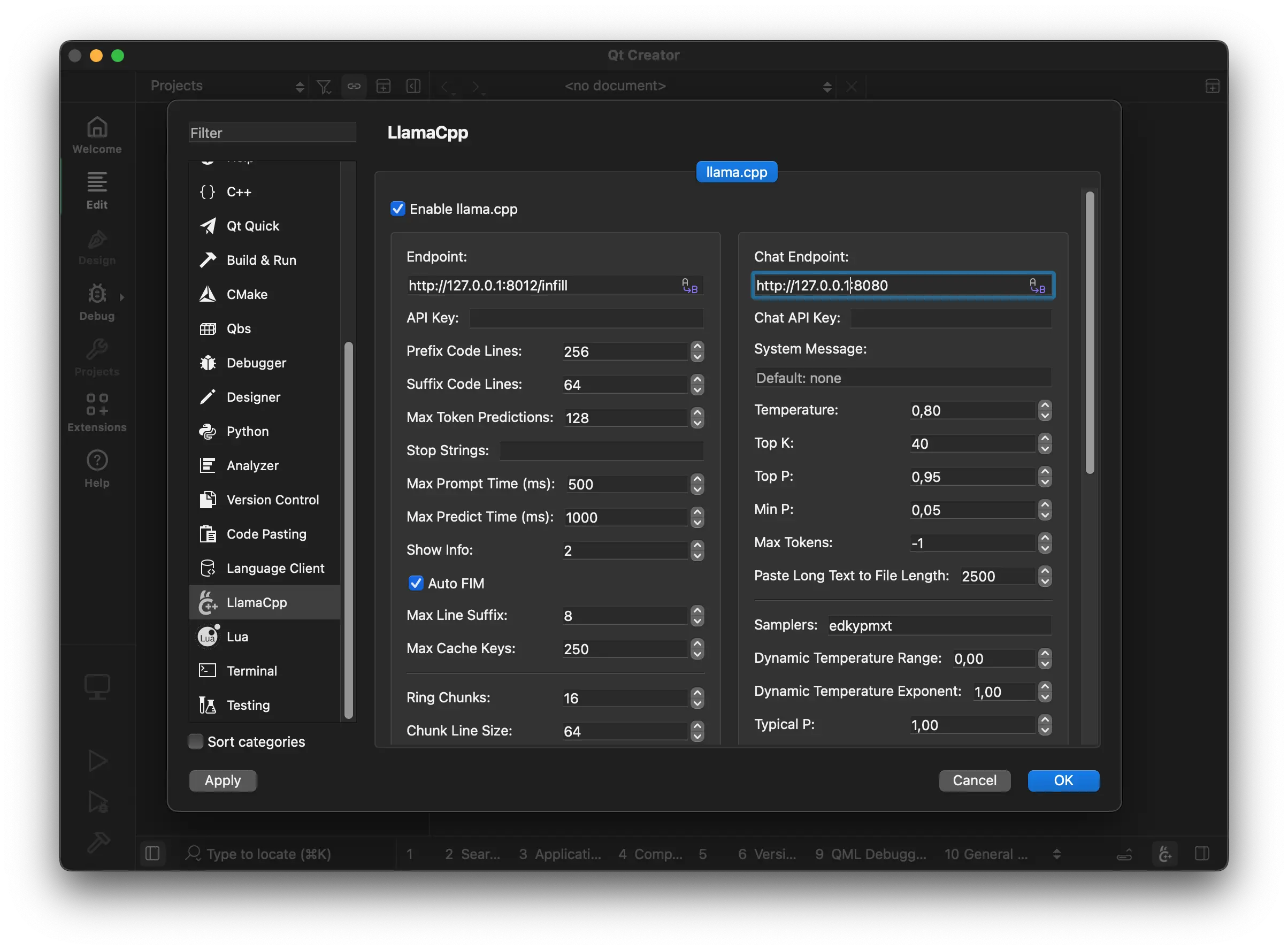
brew install llama.cppwinget install llama.cppEither build from source or use the latest binaries: https://github.com/ggml-org/llama.cpp/releases
Here are recommended settings, depending on the amount of VRAM that you have:
-
More than 16GB VRAM:
llama-server --fim-qwen-7b-default
-
Less than 16GB VRAM:
llama-server --fim-qwen-3b-default
-
Less than 8GB VRAM:
llama-server --fim-qwen-1.5b-default
Use llama-server --help for more details.
The plugin requires FIM-compatible models for the text completion: HF collection
The chat works with any chat model supported by llama-server (a separate
endpoint can be configured for it).
llama.qtcreator-create-build-and-run-cpp.mp4
The plugin aims to be very simple and lightweight and at the same time to provide high-quality and performant local FIM completions, even on consumer-grade hardware.
- Vim/Neovim: https://github.com/ggml-org/llama.vim
- VS Code: https://github.com/ggml-org/llama.vscode