
Open-Source Alerting Expert










Nightingale is an open-source monitoring project that focuses on alerting. Similar to Grafana, Nightingale also connects with various existing data sources. However, while Grafana emphasizes visualization, Nightingale places greater emphasis on the alerting engine, as well as the processing and distribution of alarms.
💡 Nightingale now speaks MCP out of the box: the server itself exposes a built-in MCP endpoint at
/mcp, so AI assistants can manage alerting and explore observability data in natural language with no extra process to deploy. See MCP Server below.The Nightingale project was initially developed and open-sourced by DiDi.inc. On May 11, 2022, it was donated to the Open Source Development Committee of the China Computer Federation (CCF ODTC).
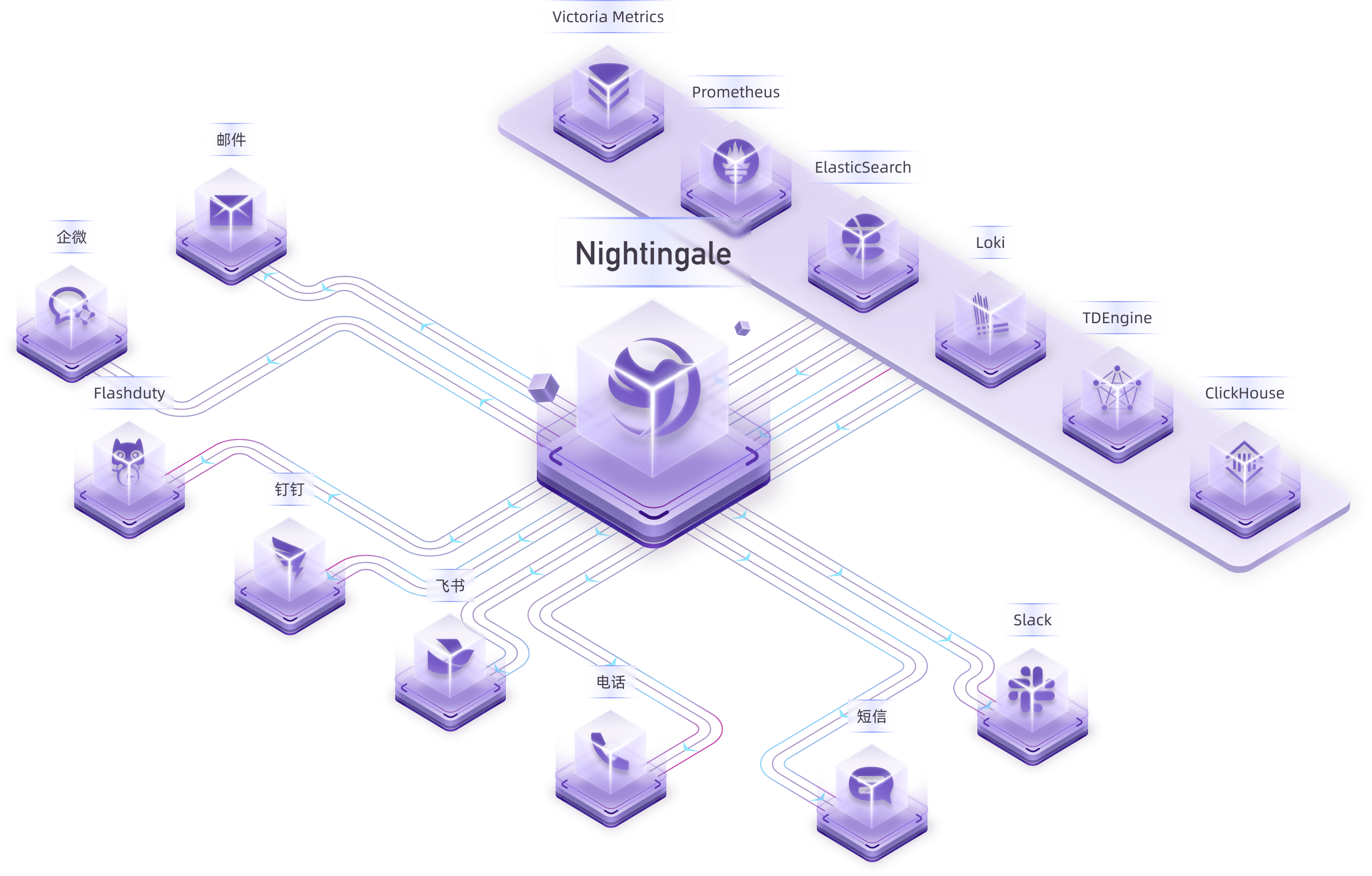
Many users have already collected metrics and log data. In this case, you can connect your storage repositories (such as VictoriaMetrics, ElasticSearch, etc.) as data sources in Nightingale. This allows you to configure alerting rules and notification rules within Nightingale, enabling the generation and distribution of alarms.

Nightingale itself does not provide monitoring data collection capabilities. We recommend using Categraf as the collector, which integrates seamlessly with Nightingale.
Categraf can collect monitoring data from operating systems, network devices, various middleware, and databases. It pushes this data to Nightingale via the Prometheus Remote Write protocol. Nightingale then stores the monitoring data in a time-series database (such as Prometheus, VictoriaMetrics, etc.) and provides alerting and visualization capabilities.
For certain edge data centers with poor network connectivity to the central Nightingale server, we offer a distributed deployment mode for the alerting engine. In this mode, even if the network is disconnected, the alerting functionality remains unaffected.

In the above diagram, Data Center A has a good network with the central data center, so it uses the Nightingale process in the central data center as the alerting engine. Data Center B has a poor network with the central data center, so it deploys
n9e-edgeas the alerting engine to handle alerting for its own data sources.
Nightingale has a built-in MCP Server: the n9e process itself serves the Model Context Protocol at /mcp over the Streamable HTTP transport. Any MCP client — Claude Code / Claude Desktop, Cursor, ChatGPT connectors, or your own agent — can query and manage Nightingale in natural language, with no extra process to deploy.
The endpoint is http(s)://<nightingale>:17000/mcp — a root path, not under /api/n9e. Authenticate with a personal access token (create one in the web UI under Profile → Token Management) sent in the X-User-Token header:
{
  "mcpServers": {
    "nightingale": {
      "type": "http",
      "url": "http://127.0.0.1:17000/mcp",
      "headers": { "X-User-Token": "<your-token>" }
    }
  }
}
Every tool call is dispatched onto Nightingale's own HTTP API inside the process, carrying your token, so RBAC and business-group permissions apply exactly as they do for that user in the UI — a client can never reach anything its token's owner cannot.
74 fine-grained tools (42 read, 32 write) across 13 toolsets: alerts, targets, datasource, mutes, busi_groups, notify_rules, alert_subscribes, event_pipelines, users, metrics, logs, dashboards, roles.
The endpoint is read-only by default — the write tools (create / update / delete) are an explicit config opt-in.
Everything below is optional; /mcp is enabled out of the box (etc/config.toml):
[HTTP.A2A]
# DisableMCP = true                        # turn off /mcp (Disable = true turns off /a2a as well)
# MCPToolsets = ["alerts", "dashboards"]   # restrict the exposed toolsets; empty = all of them
# MCPEnableWriteTools = true               # also register the write tools; read-only by default
/mcp reuses [HTTP.TokenAuth] for authentication, so keep that enabled.
/mcp also accepts OAuth access tokens via Authorization: Bearer, in two flavors:
- Nightingale acts as the authorization server itself, with RFC 7591 dynamic client registration and PKCE, so hosted clients such as Claude or ChatGPT can connect with zero pre-registration — see doc/api/mcp-oauth-as.md.
- Nightingale acts as a resource server for your existing enterprise IdP (Keycloak, Entra ID, Okta, Auth0), mapping each token to its local user so permissions and audit stay per-person — see doc/api/a2a-oauth-rs.md.
Alongside MCP, the same process exposes an A2A endpoint at /a2a that wraps Nightingale's built-in AI assistant for agent-to-agent integration (doc/api/a2a.md). If you would rather run MCP as a separate process against a remote Nightingale, the standalone n9e-mcp-server provides the same tools.
Nightingale focuses on being an alerting engine, responsible for generating alarms and flexibly distributing them based on rules. It supports 20 built-in notification medias (such as phone calls, SMS, email, DingTalk, Slack, etc.).
If you have more advanced requirements, such as:
- Want to consolidate events from multiple monitoring systems into one platform for unified noise reduction, response handling, and data analysis.
- Want to support personnel scheduling, practice on-call culture, and support alert escalation (to avoid missing alerts) and collaborative handling.
Then Nightingale is not suitable. It is recommended that you choose on-call products such as PagerDuty and FlashDuty. These products are simple and easy to use.
- Report Bugs: It is highly recommended to submit issues via the Nightingale GitHub Issue tracker.
- Documentation: For more information, we recommend thoroughly browsing the Nightingale Documentation Site.

- Nightingale supports alerting rules, mute rules, subscription rules, and notification rules. It natively supports 20 types of notification media and allows customization of message templates.
- It supports event pipelines for Pipeline processing of alarms, facilitating automated integration with in-house systems. For example, it can append metadata to alarms or perform relabeling on events.
- It introduces the concept of business groups and a permission system to manage various rules in a categorized manner.
- Many databases and middleware come with built-in alert rules that can be directly imported and used. It also supports direct import of Prometheus alerting rules.
- It supports alerting self-healing, which automatically triggers a script to execute predefined logic after an alarm is generated—such as cleaning up disk space or capturing the current system state.

- Nightingale archives historical alarms and supports multi-dimensional query and statistics.
- It supports flexible aggregation grouping, allowing a clear view of the distribution of alarms across the company.

- Nightingale has built-in metric descriptions, dashboards, and alerting rules for common operating systems, middleware, and databases, which are contributed by the community with varying quality.
- It directly receives data via multiple protocols such as Remote Write, OpenTSDB, Datadog, and Falcon, integrates with various Agents.
- It supports data sources like Prometheus, ElasticSearch, Loki, ClickHouse, MySQL, Postgres, allowing alerting based on data from these sources.
- Nightingale can be easily embedded into internal enterprise systems (e.g. Grafana, CMDB), and even supports configuring menu visibility for these embedded systems.

- Nightingale supports dashboard functionality, including common chart types, and comes with pre-built dashboards. The image above is a screenshot of one of these dashboards.
- If you are already accustomed to Grafana, it is recommended to continue using Grafana for visualization, as Grafana has deeper expertise in this area.
- For machine-related monitoring data collected by Categraf, it is advisable to use Nightingale's built-in dashboards for viewing. This is because Categraf's metric naming follows Telegraf's convention, which differs from that of Node Exporter.
- Due to Nightingale's concept of business groups (where machines can belong to different groups), there may be scenarios where you only want to view machines within the current business group on the dashboard. Thus, Nightingale's dashboards can be linked with business groups for interactive filtering.

- ❇️ Please read the Nightingale Open Source Project and Community Governance Draft. We sincerely welcome every user, developer, company, and organization to use Nightingale, actively report bugs, submit feature requests, share best practices, and help build a professional and active open-source community.
- ❤️ Nightingale Contributors