Loudspeaker enclosure designer, open-source, portable, written in c++/Qt, for Linux and some other platforms. Note that stable versions of QSpeakers are officially in Debian GNU/Linux and Ubuntu Linux.


Install Qt5 or Qt6 (and QtCharts) libraries and development files, and translation tools. In Debian or Ubuntu, for Qt6, this should install all the needed requirements:
sudo apt install qmake6 qt6-base-dev qt6-charts-dev qt6-tools-dev-tools
You can use QtCreator to build the program. You can also use qmake6 in commandline:
qmake6 -config release && make
sudo make install
First, setup the mxe cross-compilation environment:
sudo apt install autoconf automake autopoint bash bison bzip2 cmake flex gettext git g++ gperf 7zip intltool libffi-dev libtool libtool-bin libltdl-dev libssl-dev libxml-parser-perl make openssl patch perl pkgconf python-is-python3 python3-mako ruby scons sed unzip wget xz-utils nsis
cd ~/src
git clone git clone https://github.com/mxe/mxe.git
cd mxe
make MXE_TARGETS=x86_64-w64-mingw32.static qt6
If something goes wrong, install missing required debian packages. If build fails for GLib and qt6-tools, try this:
sudo apt remove gobject-introspection # this will allow to cross-compile GLib
sudo apt remove clang-16 llvm-16 # this will allow to cross-compile qt6-qttools
After building the toolchain, go back to qspeakers, in the nsis subdirectory, and run:
./build_windows.sh x86_64
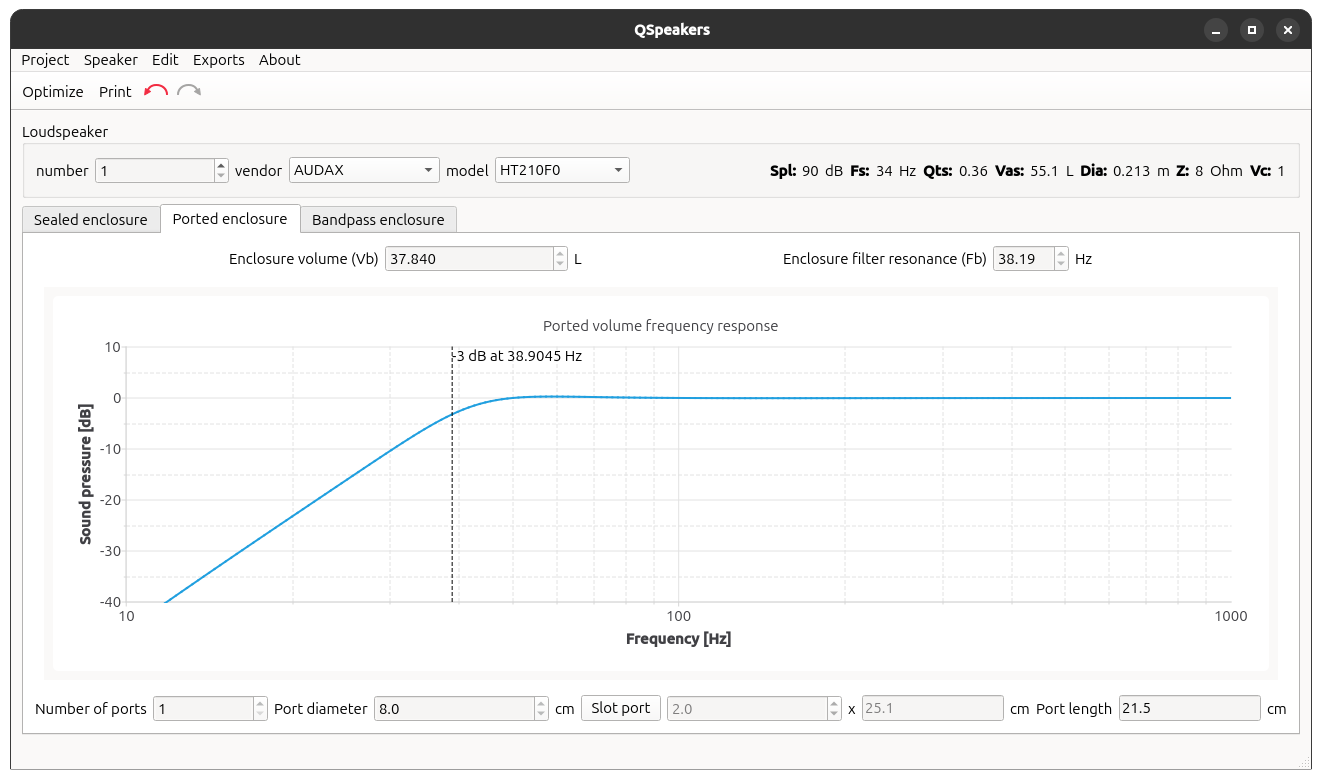
In very short: by clicking on the QSpeakers icon in your preferred menu, the application shows up. Select a loudspeaker or enter a new one by filling its Thiele/Small mechanical parameters. Click on optimize and you're done: the best enclosure volume is calculated for you.
QSpeakers homepage with source releases and Microsoft® Windows® installer is currently hosted on my old website
Thanks to Upacesky for his free svg drawing
- more plots: excursion, phase and impendance
- implement dual-free ports and dual-flanged ports in a combobox option
- implement crossover filters
See INFO file.